
HOW DO I GET SMARTbranding?
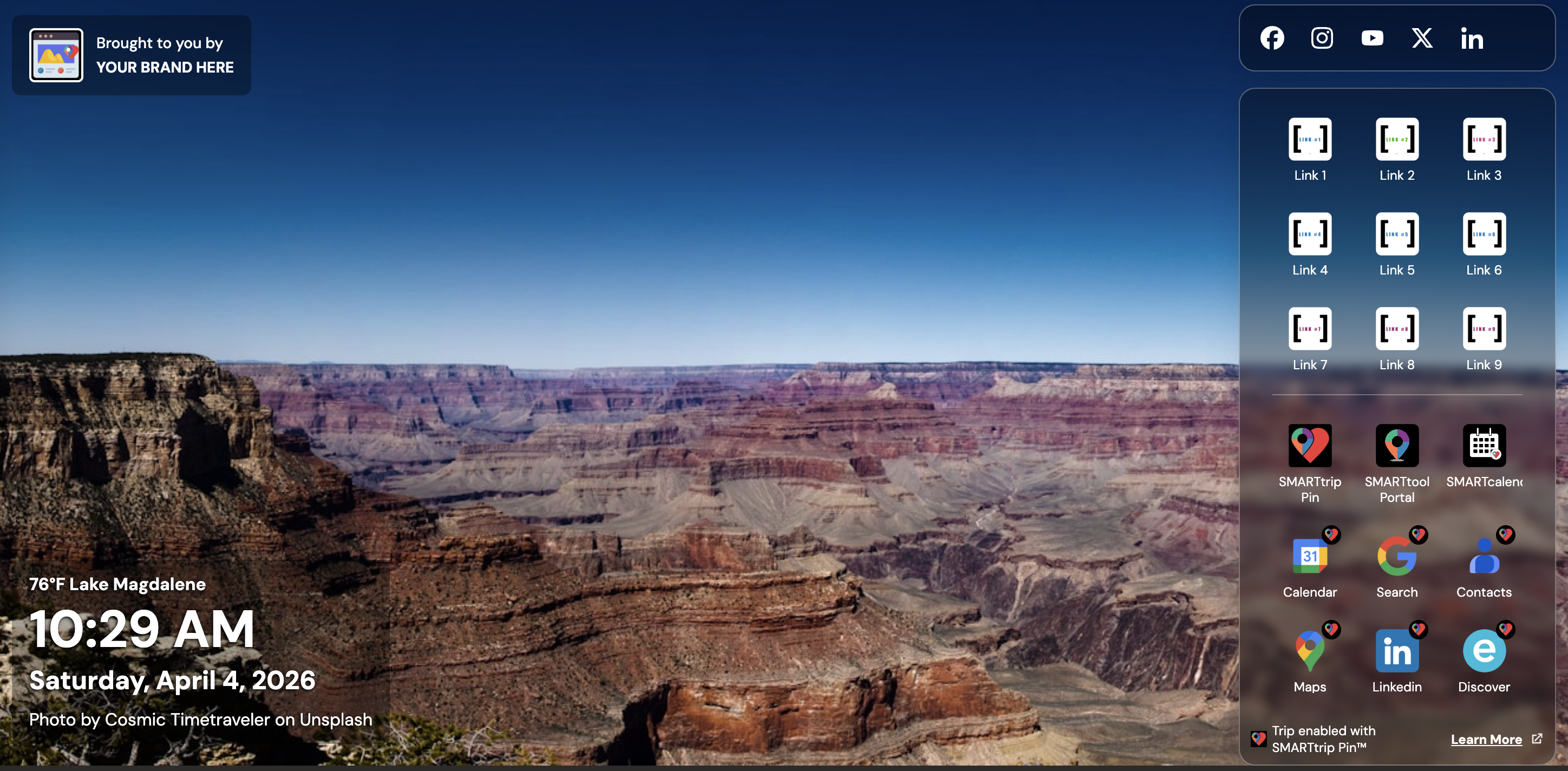
Once you have activated the SMARTlauncher on the Chrome Store, simply REGISTER and upgrade to Marquis level to get your own branded desktop, with your own library of curated images, your social media links and up to 9 customized links.
WHAT DOES IT COST?
The MARQUIS ($199/mo) level is our enterprise license. This is a per account fee, NOT a per person license. Once your SMARTbranding desktop is set up, you may share the link with anyone in your network and they can use it at no charge to them and no additional cost to you.
It includes your branding, your social media site links, up to 9 navigation items and your own image library.
You also get to take full advantage of our entire suite of SMARTtrip and SMARTgrowth tools.
When you register and turn on SMARTlauncher, the system will automatically build a SMARTtrip tool and put the number of that tool in the Chrome Extension registration under the SMART TRIP PIN function. You then build out your SMARTlauncher items and choose your Custom Image library.
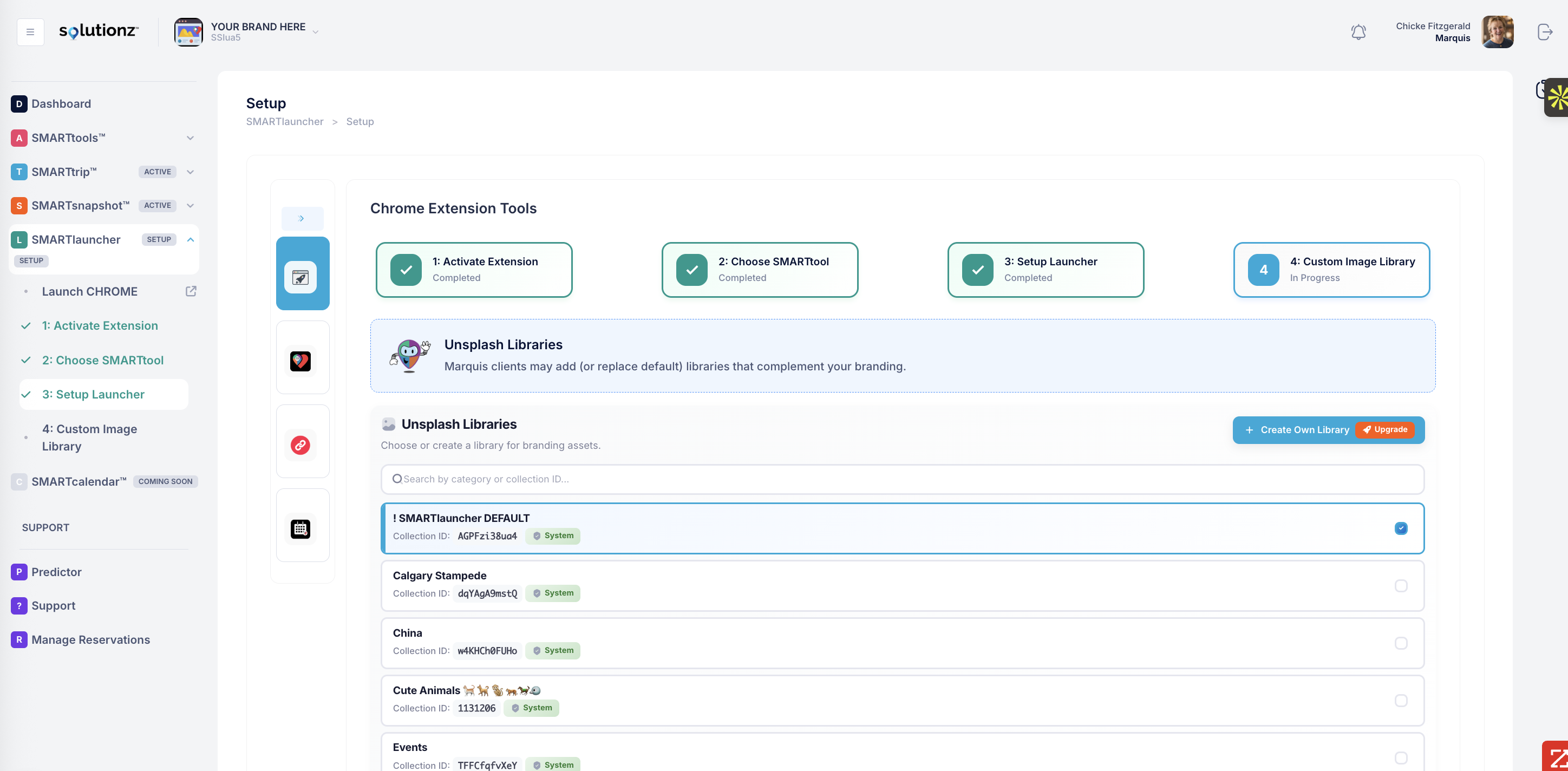
If you already have a Marquis account, grab the widget number that you wish to use to govern and track your bookings and LINK your account. Just click on the SMART meets HEART icon on the Chrome browser and click on the three hash marks on the right side of the drop down.
How does the SMARTtrip pin work with the extension?
The SMARTtrip Pin Extension allows you to find lodging (a hotel, an apartment, a condo, a private home, a villa) near literally anywhere. It also allows you to find driving directions and car or motorcycle rental, look at a map of the venue and buy airline tickets. Plus it has a curated concierge function with cool trip tools and much more.
With the new extension you will see a new landing page with a launcher each time you open a new tab.
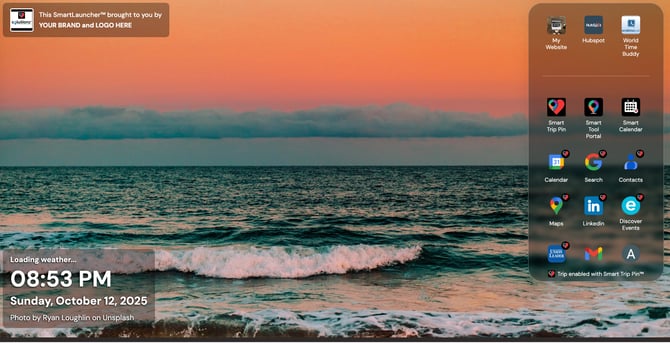
The image will rotate each time you open a new tab. In the lower left corner you'll see the temperature for your location (if you granted permission when you downloaded), the local time and date and a link to the cool image that is displayed, with info about the photographer. You'll also see a customizable launcher. You'll notice the Smart Meets Heart icon on the applications that are "trip-enabled".
What does Trip-Enabled mean?
From any page in the Chrome Browser, you will be able to click on the extension image in the toolbar or on the launcher and the following window will display. This is the Smart Trip Tool that allows you to book your travel to anywhere, for any reason, at any time.
For GOLD, PLATINUM and MARQUIS clients, you can add your own branded header to the tool and customize the color scheme, trip planning options and the curated concierge page.
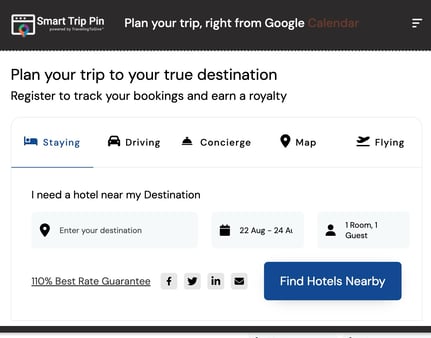
When you click on the extension from a Google Search for a particular location or you select it from a calendar entry with a physical address for a meeting/visit or from your Google Contacts results, the address will be auto-filled. You can also highlight any address or company name from any results page on the web and the system will look up the location.
You may then search for lodging nearby for the address entered and the number of guests/rooms requested. We offer a 110% best rate guarantee on all lodging bookings.
VIP Program
As a use of the Solutionz Smart Tools you are now eligible to become a VIP Member of our booking partner's system. Simply do a search on our tool and on the right side of the screen, click to join VIP. The next time that you do a search from any of our Smart Trip Tools, it will track your booking to your VIP account.